
Blog
I post on a variety of subjects. However, the common theme is tech simplicity for business and needing less to live a fulfilling life.
It's called 'imposter syndrome
Kill that shit before it kills you!
Why one earth would you hire someone if you can do it yourself?
I mean, it’s not as if you don’t have time, right?
- Spend time to learn something you will use, once
- Spend money for tools you need to get it done
- Spend more time on learning the tools
- Spend more money on more tools, because the first ones weren’t right
- Spend even more time to learn new skills to fix the errors
I mean, seriously, just DIY it and you’ll be able to do anything, anytime, and anywhere!
Or, you could just pay someone who can do it in a fraction of the time, cost you WAY less, and relive you of all the stress.
You can always learn what needed to be done as a hobby if you’re really interested in learning all about it.
Or, is it a money saving exercise?
People hate being sold to....
…and that, is just a matter of fact.
So how would you ‘sell’ something to someone who doesn’t want to be sold to?
My take, use the product… not SHOW, USE!
- USE it in your routine
- USE it around your environment
- USE it in your daily life
Again, USE it. Don’t explain it, just USE the fucking thing!
The ‘SHOW’ part is/will/should be incidental to the USE-age of said product.
I bet the shirt off my back that’ll work way better than the…
- crazy mathematics marketers
- loudmouthed content creators
- vomit inducing copywriters
…who use ’their platform’ to force their shit on you.
Staying focused is easy with a MacBook...
…especially if it’s the only choice as a nomad, and you only have a 13" MacBook pro to work with!
No one said it was easy.
It’s all discipline, and knowing that your workspace and tools are setup so well that they’ll never be in your way.
Here’s how I set up mine when I collaborate with my clients, including some of the tools I use!
Kia.
Staying focused and being productive on a single 13\" screen
So how do I do it? How do I stay focused on a project when working with a client on their project while working remotely?
Being a nomad, you can’t lug around a 27" screen everywhere, so you have to improvise. And I do that with my 13" MacBook Pro.
I’ve been using a single 13" screen for as long as I care to remember. I find it very portable and can do anything and everything on it.
I start by creating a client profile in Brave. That way I can keep every client separate, and remove distractions from my own environment.
The browser tabs are organised for the tools, website and services I only need for that client project. And my Basecamp and HEY apps are always in pole position.
Time tracking is not something I worry about too much, as my fee is always fixed as I never need to supply my hours.
But I just keep track of the hours inn HEY for myself, that way I can optimise my day and future projects.
Basecamp does have an add-on for time tacking, but I don’t require the vast feature set it has, so I can’t justify the cost.
Again, for me the 13" screen is perfect. It’s small, nimble and I’m able to adjust my workspace to whatever project I’m working on.
How do you organise your digital workspace?
The new Basecamp Hilltop view
The new Hilltop view for Basecamp is here, and it’s going to make the top-down-view of all your project tasks so much easier.
The Hill Chart is a tool that helps you manually keep track of task lists so you know what’s going on with a glance.
You also have the ability to leave notes when updating the Hill Chart so everyone in the team can know how the tasks are progressing.
So now with the Hilltop view, I can check all my project task progression in one view to help me assess my workload and any sticking points, if any.
It’s kinda like The Needle feature, but for tasks.
Everyone in my organisation has a job to do, that includes Woof!
It’s hard running a business, we all know this.
So when you have a someone in your circle that get fed, cleaned, walked and sleeps whenever he likes, it can be a little annoying to say the least.
So why not get them to pull their weight!
Woof! has been a my Security Officer for many years, but he also has another incredibly important duty within my organisation!
Kia.
So why does Woof! have a Basecamp profile?
Hahaha, that’s a very good question!
As you know I use Basecamp when I work with my clients. And there are times I have to make videos showing Basecamp from the client’s perspective.
So the videos have to show what they see, rather than Basecamp from my viewing perspective.
For that reason it’s good to have a ‘dummy client’ account in the project to make it easier.
Why would you do this?
Well, do you really want to show confidential client information to the team?
A dummy account doesn’t have to be boring. And having Woof! as my Security Officer has broken the ice many times while I’m collaborating a team!
And now you know why Woof! the Security Officer has a Basecamp profile.
Starting a project should be easy...
…but many make the mistake of complicating the simple and make it hard for themselves.
Here’s a preview of my Basecamp template just before I onboard my clients for a large project we’re collaboration on.
Don’t have everything all over the place, have it all in one place, that way you’ll never have things fall through the gaps!
How do you start your projects?
Kia.
A glimpse of my Basecamp template just before I onboard
Today is the day I onboard my clients into Basecamp for a project I’m extremely excited to get start on!
The screenshot is my Basecamp template before the work begins. I have a some client data in there to get started, but it’s pretty much a blank sheet right now.
This client hasn’t used Basecamp in the past, so I have to ease them into it.
But while in the discovery and negotiation stage, we agreed on using it for the project to make sure everything was in one place, and not all over the place!
All design assets, communications, doors to external tools, milestones, calendars events, everything, will be here.
So no emails, messages, pigeons or any other form of communications will be elsewhere. It will all be within Basecamp.
I’m not a communist, if there are urgent matters we will obviously use other tools like video calls etc.
But if everything is in one place and documented correctly, there are no reasons to have things go astray.
Right?
It's been a year, and my Mac desktop hasn't changed, much
Well, it’s been almost a year, since I posted this last year.
I find it calming, it does everything I need, and keeps me super productive!
How’s your desktop and Dock looking?
Kia.
I almost fell into the trap!!
In the spirit of my video titled ‘ You already have the app!’ I almost fell into the trap, again!
This morning I needed to send a proposal to a client. I have in the past used several services to make this task simple, but I found them to be complicated and bloated.
Then I realised… I already have an app! It’s called Basecamp!
Kia.
Sending a proposal is easy, so stop complicating it!
Often we complicate the most basic of things. Presenting a proposal used to be as simple as a phone call, an email, a chat message.
But they’ve became as convoluted as all the three examples above plus documents, PDFs, external services and I’m sure someone as some point has even sent a carrier pigeon!
I’ve been guilty of some of the exsamples above, but I wanted a way to cut through the crap and just get on with the project.
As soon as I simplified my proposals, and the way there were presented, I got busier. So I made them shorter and shared them as simply as I could.
How? Well, I already had the app!
I started using Basecamp and its ability to share the proposal via a public link.
I find this easier than email, as it can be shared internally with the client’s departments, if needed, before I get the go-ahead.
And I’ll even accept the reply via a carrier pigeon!
P.S. This proposal was approved within a few hours, and the invoice was paid the following day!
The simpler the tool, the more you can get done.
I was one of those who though Basecamp was ’too simple’. I also bounced between apps to help me run mu business and collaborate with my clients.
But once I realised Basecamp could do everything I wanted form it, I never looked back!
Kia.
Is your Mac like as disorganised as this?
Using a Mac should be as easy as pie. Even though we have every intention of staying organised, it gets messy over time. So how can we keep it organised so we know where our files are?
The best way is to Keep IT Simple!
How’s your Mac right now? Want some help getting it organised?
Kia.
Now that's some seriously good product placement!
Struggling to make videos can be annoying, but there is a solution...
It’s been a while since I made a video. But while I was checking my archives, I came across this one that’s nudging me to get off my ass to make more!
What kind of video would you like to see?
Kia.
My thoughts on Tim Cook
I’m a Apple guy.
Have been since 1986.
And I’ve been a MacJunky ever since.
But, I cannot stand Tim Cook.
Never have. Never will.
There is a way to simplify email, and here's how to do it.
If you’re like me you love email. But it can also get very ‘busy’ and annoying. Especially if it’s setup in a convoluted annoying way!
So how about simplifying it by using the right tools that’ll make you WAY more productive!
Kia.
Updated the website today
I know I keep ’re-doing’ my website, but I keep finding new ways of making it simpler and wondering if I’m able to make the backend code better.
The previous website, although I really liked it, was more focused on a blog than my work. I kept getting asked work questions, even though there were links.
So I though I’d move things around a little and make it more business first focused but have the ability to show my personality also.
I think I’ve managed it, and I’m also able to add things to the site without it getting in the way of the overall design.
The Entrepreneur's Journey: Insights from Kia Kamgar on building a life and business you love
I was interviewed, well to be perfectly honest it was more of a conversation, with Carolyn Vitale, Sales Manager for Marketcircle, the makers of Daylite for a partnership.
Well let’s just say it went beyond just a partnership, as the conversation was so good she turned into a post for their LinkedIn Newsletter!
I’ve been using Daylite since around 2006 and seen the amazing transition the product, and even the company, has had throughout the years.
It’s an amazing journey, and an equally great CRM for small business. You can test Daylite out yourself and see!
I’m sure we will be collaborating on other projects in the future, but for now, have a read of the article and let me know your thoughts.
Welcome to The Tech Minimalism Newsletter
Someone asked me why I wanted to stop the old email list and start all over again fresh, with zero subscribers.
Here was my reply…
My old email list was from the days of MacJunky (my previous brand and company) and most of the users on there were not benefiting from my new messaging and content.
So I thought it was best to start all over again to better help those who do like my new content and not ‘spam’ those who rather not hear the new me.
I think it was the right decision, even though I had over 2k subscribers, I rather have fewer subscribers that like and want to hear what I have to say.
My focus is simplicity in every aspect of my life, as you know, so I’ve decided to use HEY World for the new newsletter as it’s the simplest way to publish something and email it out.
They will be published on my HEY World profile but deleted when the following newsletter gets sent. However, they’ll all be archived on my website forever.
I’ve never been into lead magnets, tags, segments, automation etc. or any everything that comes with modern day newsletters, as I find it very un-human. I just wanted to go back to how newsletters were in the past.
Will I lose ‘sales’ yeah probably.
Am I leaving money on the tables, absolutely.
But life shouldn’t just about money! Yes, I need to work and make money, who doesn’t!
But I’d rather just share my videos, posts, thoughts etc. and if someone needs my help they will hire me. It’s simple and it’s been working for me for as long as I care to remember.
Anyhoo, welcome and thanks for trusting me with your time!
Oh, and I don’t want this first week to be an empty admin email, so here are the latest articles that you may have missed form my website…
Apple’s simple yet powerful Invites app was released today
How I stay on top of everything with my iPhone
Using HEY by 37signals as a lite CRM works!
Simplify LinkedIn with this browser extension
After waiting months, I finally got my Dutch drivers licence!
Comments and feedback are always welcomed, and encouraged, moving forward! :-)
Have a great day, and see you in your inbox next Wednesday!
Kia.
Apple's simple yet powerful Invites app was released today
I gotta say, I’m pretty impressed with its simplicity so far. It’s very simple to setup and easy for the invitee(s) to interact with.
Here’s the backend…
And on the iPhone…
I will test it a little further before recommending it for anything business related, but it could very well work for coaches and workshop facilitators.
You can download it for the iPhone from the App Store. And it’s also available on Apple’s iCloud.com service on the Web.
Let me know what you think.
How I stay on top of everything with my iPhone
The more you have, the more distraction that will take away the most precious commodity you own… your time.
Spend the time on what truly matters by removing tech friction and you’ll get way more done throughout your day and lifetime.
Above is the only screen I have. This gives me the ability to look at one screen and see what needs to be done at any given moment.
The only notifications I have enabled are all the apps you see on the screen, except Notes and Safari.
There’s no need to be alerted about every single thing every single minute of every single day.
So what does each app do for me. Well that’s simple…
- Apple Calendar – Gives me a quick overview of my month
- Things – My personal unpaid assistant, It reminds me of things I need to do
- HEY calendar – Is my main calendar where I add my appointments
- Basecamp – For client projects, collaborations and other business activities
- HEY – Is the email service I use, but does WAY more than just email
My workflow has been honed over many years. It’s the workflow that works the way my brain works and keeps me organised.
Once you have a workflow, and the tools to help with that workflow, you never feel lost, annoyed or frustrated.
You just need to Make IT Simple and Keep IT Simple!
If you want to simplify the technology running your life and business, let’s talk!
Using HEY by 37signals as a lite CRM works!
As you’re aware, I use Basecamp for the foundation of my business. My client project collaborations, CRM and so on.
I also use HEY as my only email service because of the feature set, its simplicity and how it fits my workflow.
But I’ve recently started using HEY as a lite ‘pre-CRM’, for the times I need to track the smaller projects.
So I setup a Workflow with the same stages I have in my Basecamp CRM and started testing it out to see if it’ll work.
Within HEY there is the ability to add notes for the email. I use this to jot down any information about the client, stage and general notes.
I’m pretty happy with it so far as it’s simplified my workflow. Its removed the need of clicking through different apps to do the simplest thing.
Be aware though, this is my personal workflow. I’ve created it over many many years to how MY brain works. So it’s not for everyone.
If you’re interested in creating a workflow for your business. And want help to remove tech friction and regain your time, let’s talk!
Simplify LinkedIn with this browser extension
Bells and whistles are great, but do we really need them in the apps and services we use daily? The answer to that question is… no!
So when I find an app that can remove distractions and let me use said tool or app without being annoyed, I use it.
Minimal LinkedIn is a browser extension that has option to remove the distractions and features you don’t want with a click of a button.
This sounds like an ad, it’s not, I just LOVE apps that help remove distractions and friction, you should know this by now!
And please for the love of all that is holy, use Brave browser and not Chrome!
Let’s connect via LinkedIn
Rip it off like a band-aid!!
I’ve been putting off sending this email for a while but sometimes, like a band-aid, you have to rip it off and deal with the pain quickly.
This is goodbye from this newsletter, as I will finally be shutting it down on Friday 31st January 2024. However, we can still be connected via social media or my Telegram channel.
I’ll also be creating a brand new newsletter in the future, so if you prefer email (like I do) you can pre-register for it below.
Newsletter
Telegram
Social media
If you’d like to know why I’m making this decision, let me know. Maybe I’ll make a video about it.
Have an awesome day, and hope to see you on the other side!
Kia.
After waiting months, I finally got my Dutch drivers licence!
Never place your trust in an app
Another app bites the dust.
The Around video conferencing app is shutting down. Who would have thunk this would have happened when they sold back in 2022.
Take aways…
Never put your trust into any app.
Always make your data transferable.
Got a new tool to fix Chuck’s battery
Winter hasn’t been kind to Chuck, and the battery has had a bad time while he’s been sitting for a while.
So I got a battery charger that can also repair and maintain it to bring it back to life.
It’ll take some time, and I have high hopes that it’ll be just fine.
New technology isn't always the best path
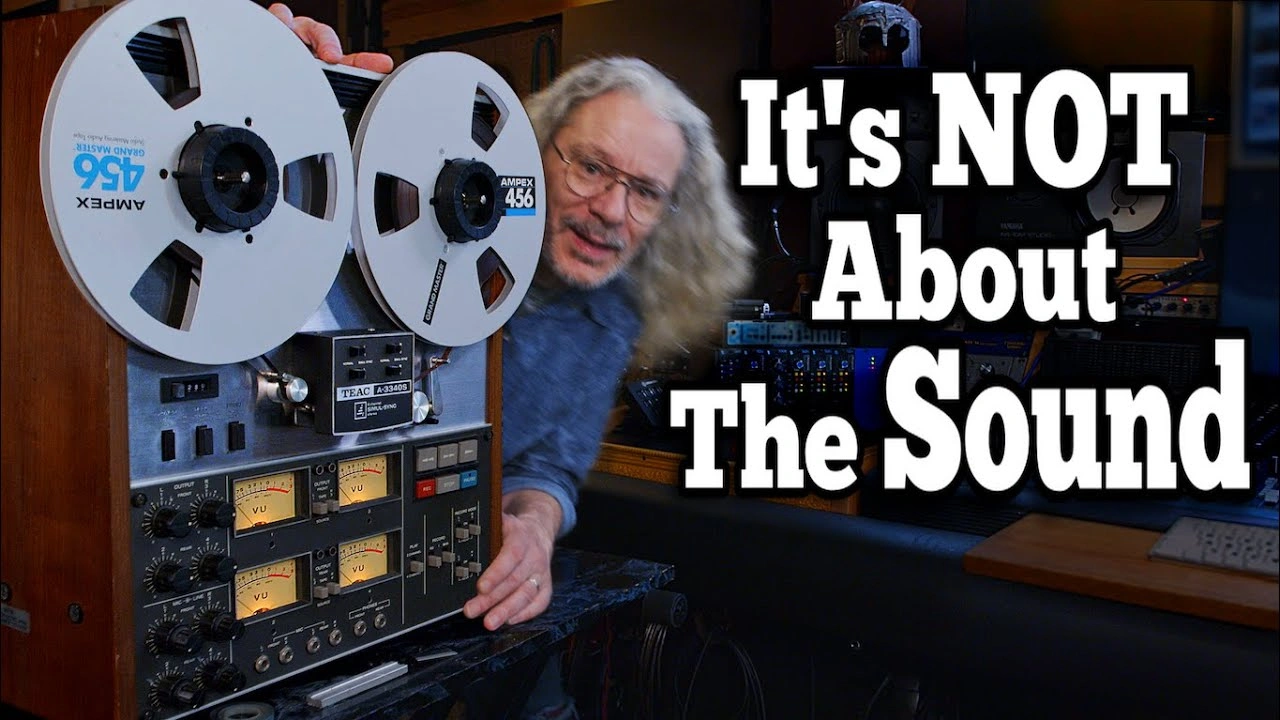
I was an audio engineer back in the day, and this video popped up in my feed so I had to watch it, as I’m always interest in this topic.
However, the end of the video intrigued me more than the title and the thumbnail, so I just had to share it.
It’s a great video with a well thought-out topic twist.
2025 is the year to start fighting fire with fire
Step aside latte drinking, avocado eating soy bois*
*That goes for online gurus too
You just need a push
…in the right direction.
You can’t always do it on your own. And believe me, I’m a person who likes doing things his own. Sometimes all that’s needed is a gentle nudge in the right direction.
Don’t do it on your own, reach out.
New Year's Eve dinner for one
Merry Christmas, and a Happy New Year
You're not the only silhouette
Basecamp just updated their website adding 'Paths
Today 37signals updated the Basecamp website by adding a page showing people’s paths to returning to using Basecamp.
Go and check it out if you’re still on the fence on using Basecamp for you business.
And if you have any question, I’m always here to help.
Saw an great post on 𝕏 today
And it pretty much sums up why I’m using it less and less. And why I prefer to post more here on my personal website.
10 years ago social media used to be an escape from reality.
Today, the reality is an escape from social media.
— Marius (@MariusWriter) December 19, 2024
All in with RSS via the Reeder app
I’ve been using the original Reeder app since the beginning. I love the simplicity of it. The way the features stay out of the way until you need them. It’s a great app that also has a clean interface and does what it supposed to.
When the new version of the app came out a few weeks ago, I rested it due to it’s subscription model, removal of the unread counts, and the way it looked.
Boy was I mistaken!
I spent the past few days in the app, learning what it could do, how I would use it, and more importantly, would I miss the features I love from the original.
One thing you need to know about me, I’m a pit bull when it comes to apps. I love pulling them apart, learning them inside and out, finding issues (if any), and whether I would ever recommend them. And I can do all of this with speed.
The new version of the Reeder app has changed the way I interact with the internet while retaining my sanity. I can curate my feed to only the things I want to see.
It has some great new features, and what I thought I’d miss in an RSS app was dispelled by the new feature set that it has.
There are a few things I wish were different, but as a base initial release, it’s pretty much there.
If you’re looking for an RSS app for your Mac and iPhone, I would highly recommend checking out the Reeder.
Chevy K5 Blazer service manual
When I had my 1989 Blazer I always wanted a full service manual for it, so I was able to repair what I could without issue.
I found this online back in 2003 and have had it ever since. And has come in very handy on many occasions.
When I moved to Holland I made sure this was in a safe place so I wouldn’t lose it.
However, it was in such a save place that I hadn’t been able to locate it since 2007!!
Until today!!
This is the bible for my Chevy. And although now I have a 76, it’s still very handy!!
My first ever Walkman; The Sony TCD-D3
Man I loved this thing!
I always wanted a Walkman but hated tape. You couldn’t always find the start of a song when seeking the tape, so I never had one.
CD Walkman was what I had, but I wasn’t able to make my own CDs of my records at the time.
Then DAT came along, and having work/money, I decided to buy one.
And oh boy, I loved it! And still have it!
This was also the device I mastered many of my earlier releases too!
The fog will clear, keep going
Borat lives in Germany?
I think Woof! likes the new lights
Is it too early for Christmas decorations?
Shepard’s delight
Change your algorithm
For the 1,534,289th time, I’ve deleted all my social media accounts. Every single one!
Why you ask?
In the past I used to be heavily on social media for connection. Heck I met some awesome friends in real life on there and they have become some of my best friends.
But over the years, social media has changed into a shouting match of people wanting to be seen and wanted. That’s not what I want, or need.
I’ve always been the type of person who likes their own company and happy doing things on their own without any input or distraction.
I’m outgoing, I’m in no way an introvert, but having headspace to do, think, and just be is way more interesting to me that being online for vanity metrics.
Recently I opened up every singe social media account I could for my business for outreach and SEO, but I soon realised I was spending more time on the platforms that doing actual work.
Not only work, but doom scrolling and wasting, as I said above, headspace.
So a few days ago, I deleted them all and will only posting here on my own platform, on 𝕏 and LinkedIn for work.
Taking in back to the old ways of having personal blogs where we can share thoughts, ideas and show who we really are without craving metrics is the way to go.
How about you?
It was a great day
Swamp fever
Mornings like this, just sit and ponder
After an evening walk in the woods with Woof! we’re gonna hunker down here for the night
Installed a roof rack on the truck today
I think it looks great!
Now I have to figure out how to strap the spare tire onto it.
Woof! looks comfortable
Waking up to this, is bliss
Toasty warm in Chuck the Truck this morning
Good morning
Woof! made a friend
Unconditional love
Good morning
Good night
Chuck broke down today
To resolve a problem, reframe then tackle it for the win…
Problem…
I’ve broken down.
Reframe…
I’m being challenged to learn something new.
Win…
I’m now able to help someone else who may have the same issue one day.
Update
I thought I found the issue with a split vacuum hose, but that wasn’t it. Gonna keep on diagnosing.
Woof! at the library
Good morning
Why do I drive a v8?
Tonight’s dessert foraged
Chuck the Truck almost got hit by a tree!
Chilling in a forest carpark and I hear a loud thump!
My heart is pounding like crazy!
Summer is over

Fields of grey
Purple Rain cover by Miche Braden

Dead EGR valve
Chuck the truck has been giving me a bunch headaches for the past few weeks. Not only have I ‘broken down’ but it’s been stalling intermittently.
Not good, or safe.
I’ve been diagnosing it as I go, and have replaced the TPS, the IAC and a bunch other parts. And yesterday I finally found the culprit.
The EGR valve!
A new one has been ordered, but it’s going to take a few days to arrive, so for now I’ll just ‘delete’ it by plugging up the port so I can get back on the road.
Don’t die being a slave to money

Carnivore dinner with Woof!
Knowledge is not power
A beautiful video by Ali Gallop about the idea of using knowledge rather than just learning for the sake of it.
He goes on to say ‘Knowledge is not power. Knowledge is potential’ especially if we don’t if we don’t put into practice what we learn.
Give it a watch and go over to his channel and subscribe. He’s got some other amazing films on there.
Good morning
Woof! chilling in Tarifa 2022
Woof! sleep position #365
Forest foraging
Fix one thing, break something else!
So I had the dash out of the truck to fix a few issues. All was going swimmingly until I decided to fix the vents.
The vents are held in-place by very flimsy plastic posts. So you have to be very carful when putting back the so called ‘bolts’.
It’s time to pick up the camera

Simple social media strategy
Mute the silly.
Block the stupid.
Follow the intelligent.
Block the stupid.
Follow the intelligent.
No one gives a shit
No one gives a flying fuck what snare drum make you use when on the dance floor smashed out of their heads.
No one gives a cunting shit what app stack you use when doing work for them.
No one arse-ing cares what make of hammer you use when installing a kitchen, bathroom etc.
No one gives two shits what make of pen you use when writing an article.
So why the actual flying cunting fuck do you fucking care how the fuck the work is done, if the work is good and actually fucking done?!
Get your head out of your ass and stop overthinking what apps, tools, and/or snare drum you fucking use you fucking dipshit.
It’s the end result, not the journey or blind-sighting your client with fuck loads of technical bullshit.
Removing short-form content is a step in the right direction
Technology is great, but it having a hold on your time is the worst thing about it. And it can cause more harm to your brain than initially thought.
I recently removed all my shorts from both my YouTube channels because I hate watching brain-dead short videos, so why should I produce it?
Here’s a great conversation with @JonHaidt on how social media and less focus damaging society as a whole.
My social media use has been scaled back, as I prefer to write here on my own blog and platform than shouting into [someone else’s] void.
Fixing Chucks dash lamps, HVAC fan and speedo dial.
Having a classic Chevy K5 Blazer in general brings its own challenges, but driving and sleeping in truck daily can put a little more strain than normal. But as long as you’re on top of it all, you’ll be fine.
So while I’m house/dog sitting for a family member, I thought I’d take the opportunity to fix a few things that were annoying me lately. The blower fan, the dash light that flicker when going over bumps, and the speedo needle that fell of a while back!
The fan was easy, took it out, oiled it, put it back… bingo!
Big hair
Back to Apple and its simple apps
I know I keep changing my mind about the apps I use to run my life and business. But sometimes you need to step back and look at what you really need.
Not only have I moved over to the stock Apple apps on my Mac, I am the MacJunky after all, but I have completely moved over to them on my iPhone also.
It’s nice to have a third-part app that ‘can do more’ but does ‘more’ really mean more when all you do it ‘play’ with the apps to get what you want it to do?
For years I moved, hopped, skipped and jumped form one app to another, and I might still be doing that in the future, but when it comes to it, you only need the basics.
That way you can focus on what needs to be done, and spend the precious time we’re given in our lives to do the things we want to do for ourself and others.
Apple Reminders is as simple as it gets
You really don’t need to complicate your workflow or get a 3rd party app to get work done. Just use Apple Reminders and you’ll be happy enough.
Dark art
Missing the sunshine, and the rainbows

The site finally has an RSS feed!
It took some time, but with some sweat, tears and headaches, I finally managed to add an RSS feed to the site to make it easier for you to get updates.
Let me quickly explain what RSS is for those in the back.
Basically, RSS is an open protocol to read/consume internet articles without the need for going to their respective websites.
In order to read the articles you will need an RSS reader. My personal tool of choice is Reeder (hence the image above) but there are plenty others out there.
Reeder –– What I use
NetNewsWire
Feedly
Newsify
feeeed
Otter RSS
…to name just a few.
If you know of others or use something else, send me an email and I’ll update the list so others can check them out.
I’ve wanted to implement it for a while, but as I’m using Kirby for the backend of this site, there wasn’t a quick toggle switch to turn the feature on.
However, I did find a simple plugin that enabled me to understand how I could implement it and did some custom editing to get it working exactly how I wanted.
Anyhow, you can subscribe to the feed by clicking here. But don’t worry, I still have my Daily email list if you’re not into RSS.
Original image by Elias Ruiz Monserrat
How to create a CRM in Basecamp
I recently made a video about using Basecamp as a CRM. So here’s the demo project, with notes below, to show what’s possible.
As you can see, it’s quite simple.
Triage = Leads
Not now = Lost
Done = Won
- The rest are my ‘stages’. Change them accordingly for you own use-case.
- Create a card, place all client and project details within.
- With Basecamp being so versatile, what I like to call a ‘blank sheet of paper, you can place any bits of information you like. For instance, budget, deal cost etc.
- I then use the comment section for each ‘client’ to add notes.
However, I wouldn’t recommend using this method if you’re a sales team with multiple members.
Hope that helps.
Are you watching too many videos?
I love videos. Making them, watching them, analysing them. But I have an addiction problem when it comes to being lured into one with a clickbait thumbnail.
I love videos. Making them, watching them, analysing them. But I have an addiction problem when it comes to being lured into one with a clickbait thumbnail.
On this fine sunny Sunday sitting in the garden while I dog sit for a family member, I think about the awesome Chrome/ Brave/ Firefox extension I installed a while ago called Clickbait Remover for Youtube.
So just wanted to share that tidbit on information.
Enjoy the rest of your sunny Sunday!
Monster sitting
Doing a little maintenance
Chuck the truck has been a little sluggish lately. So giving him a little TLC, he’s now running like a champ. In couple of weeks he’ll have a well deserved full service too.
Creating an Alfred workflow to search for an email in HEY
I wanted to find a way to perform a search with Alfred for emails in HEY. The issue was when doing a search, in HEY, there didn’t seem to be a URL change.
After posting what I wanted on the 37Signals forum, I found that the link I posted actually worked! So apparently there as a page/query you can use.
Here’s the working link: app.hey.com/search
So I created a shortcut in Alfred, tested it, and it works perfectly! I’m sure you’ll be able to do this in Raycast or similar app.
Now I can search without opening HEY first. Just bring up Alfred, type my search query, and hey presto!
Will you be a victim of the Authy hack?

Lose the automation

Don’t fall into the evil ‘features’ trap

Can Basecamp be used as a CRM?

The joys of having a calm workspace
“The tidier the desk, the more you can get done” isn’t alway true, but it works for me.
Here’s my desktop, it’s my ‘virtual’ desk. It’s not cluttered because I don’t want to be distracted when I sit to share my thoughts or get some work done.
It has the exact tools I need at an arms reach. So there’s no friction of looking for the right app.
I’ve recently moved back to using HEY, and I’m now using Basecamp more of my personal projects and not just for client work. So far it’s going great.
What you see in the Dock are the main tools and apps I need to run m business and life.
Keep IT Simple.