At the
Tech Minimalist, and
MacJunky, my job to help coaches and consultants simplify their tech stack, so that they’re not swimming is ‘friction frustration’.
However, that is easier said than done.
Not because they don’t need it but because the current system they’ve used has become a habit they can’t be changed easily.
I too had that problem. Just take a look at the picture above…
So how do I do it? How do I stay focused on a project when working with a client on their project while working remotely?
Being a nomad, you can’t lug around a 27" screen everywhere, so you have to improvise. And I do that with my 13" MacBook Pro.
I’ve been using a single 13" screen for as long as I care to remember. I find it very portable and can do anything and everything on it.
I start by creating a client profile in Brave. That way I can keep every client separate, and remove distractions from my own environment.
The browser tabs are organised for the tools, website and services I only need for that client project. And my Basecamp and HEY apps are always in pole position.
Time tracking is not something I worry about too much, as my fee is always fixed as I never need to supply my hours.
But I just keep track of the hours inn HEY for myself, that way I can optimise my day and future projects.
Basecamp does have an add-on for time tacking, but I don’t require the vast feature set it has, so I can’t justify the cost.
Again, for me the 13" screen is perfect. It’s small, nimble and I’m able to adjust my workspace to whatever project I’m working on.
Today is the day I onboard my clients into Basecamp for a project I’m extremely excited to get start on!
The screenshot is my Basecamp template before the work begins. I have a some client data in there to get started, but it’s pretty much a blank sheet right now.
This client hasn’t used Basecamp in the past, so I have to ease them into it.
But while in the discovery and negotiation stage, we agreed on using it for the project to make sure everything was in one place, and not all over the place!
All design assets, communications, doors to external tools, milestones, calendars events, everything, will be here.
So no emails, messages, pigeons or any other form of communications will be elsewhere. It will all be within Basecamp.
I’m not a communist, if there are urgent matters we will obviously use other tools like video calls etc.
But if everything is in one place and documented correctly, there are no reasons to have things go astray.
Often we complicate the most basic of things. Presenting a proposal used to be as simple as a phone call, an email, a chat message.
But they’ve became as convoluted as all the three examples above plus documents, PDFs, external services and I’m sure someone as some point has even sent a carrier pigeon!
I’ve been guilty of some of the exsamples above, but I wanted a way to cut through the crap and just get on with the project.
As soon as I simplified my proposals, and the way there were presented, I got busier. So I made them shorter and shared them as simply as I could.
I recently made a video about using Basecamp as a CRM. So here’s the demo project, with notes below, to show what’s possible.
As you can see, it’s quite simple.
Triage = Leads Not now = Lost Done = Won
The rest are my ‘stages’. Change them accordingly for you own use-case.
Create a card, place all client and project details within.
With Basecamp being so versatile, what I like to call a ‘blank sheet of paper, you can place any bits of information you like. For instance, budget, deal cost etc.
I then use the comment section for each ‘client’ to add notes.
However, I wouldn’t recommend using this method if you’re a sales team with multiple members.
I wanted to find a way to perform a search with Alfred for emails in HEY. The issue was when doing a search, in HEY, there didn’t seem to be a URL change.
After posting what I wanted on the 37Signals forum, I found that the link I posted actually worked! So apparently there as a page/query you can use.
Automation is great, but I personally don’t use any automation within my workflow. I prefer to do things manually than lose the human with in my business.
If you’re an entrepreneur or a small business who needs to keep track of leads simply, then Basecamp is probably going to be the best choice for a CRM.
I’ve seen many who live inside their tools. Being a slave to the application they’re using. But there is a way to live a more calmer and simpler work life.
Basecamp’s simplicity often confuses those who come from other apps. It confused me years ago. But once you understand the flow, you will never use anything else.
There are many apps that try to help you be more productive. But I’ve found they often make you busier than you need to be and actually hurt your productivity.
Basecamp is the perfect business foundation app. I call it the best ‘junk draw’ for a business, because everyone knows exactly where it is and what’s in it.
There are plenty of companies racing to get their latest software updates out for you to try. However, you need to worry about what your needs are, not theirs.
Being a perfectionist is one of the worst ways of losing your productivity. Doing the task or project is way more important than thinking about doing them.
It’s not often you’d relate car parts to business tools, but I’m going to try. You see, building a car takes time and a lot of patients, so it’s relatable.
It’s great to having a comfort zone. But in a business having that place could be costly. Getting out of that zone should be your number one objective.
Getting clients is the easy part. Marketing, sales, and your brand are how they find you, and that’s great. But if your delivery falls short, you’ll fail.
It’s hard to remember everything before starting a project. And it doesn’t matter how much thinking or strategy you’ve done, it doesn’t always go to plan.
Many small businesses struggle with email and how it’s used to collaborate. But there is an easy, dare I say it, lazy email workflow that might work for you too.
In with the new [year], we’re all so quick to create a resolution we can never realistically keep. So this year, develop smaller steps for your ideas and goals. It’ll be easier.
One of the best business tool we have is email. However, the problem with email is that it can take up a lot of our time and energy. But there is an easy fix: Delete it!
Having the best system for our business is the holy grail regarding tech and IT. However, many don’t realise that creating such a system comes from within.
More often than not, nothing works out of the box. It’s annoying, frustrating and a massive time suck! But once you understand the issue and know what you need out of the tech you use, then life becomes easier.
Having a pleasant, tidy environment to work in is one of the best things you could give yourself. However, many don’t adhere to this regarding their tech, specifically their Apple and Mac systems.
Having a system you’ve created and use daily is the best way to be more productive. However, if you copy a complete system from someone else, you will not benefit from it. On the contrary, I would argue that you’ll get even less productive.
Quality matters, no matter what you buy or invest your time on. So when it comes to making the suitable investment to better your life, whether it’s for you or your business, making the right choices should also… matter.
The more clunky the app, the less likely you will use it. It’s a simple fact. How do I know? Well, it comes from the clients I work with. Not only that, but it also comes from my personal experience.
Even though change is difficult for many, we all know that changing things in your business will always help make it run smoother. So upgrading the tech will help you future-proof and expand easier.
No matter how we run our business, there might be a time that we’ll need to evolve our business to stay in business. But if the tech you use isn’t in order, you will feel the hurt more than you can imagine. So make it easy for yourself.
Nothing you do will ever be easy or simple, especially if you’re new to what you’re trying to solve. However, once you dig in and start implementing it, you’ll find that all that hard work was oh so worth it!
Inbox zero is great, but if you’re only doing it for aesthetics, you do not understand the whole issue. My mistake has been not explaining what it means when I post screenshots of my email window on 𝕏.
Having an external individual exert their ‘system’ on you or your team is a recipe for disaster. You can’t change someone’s way of working just because your ‘system’ works for YOU.
Productivity shouldn’t be something you’re taught how to do. It should be you just getting your work done. So using the tools or software should come from the way you work, not from some guru who tells you what you should use.
Getting things done quickly within your business gives you more time for your clients and business. So once you have a system, you’ll be able to work more efficiently, be more productive and have plenty of time for yourself.
Getting your email organised can be a nightmare. But what if you could use a CRM in your business to track any email you receive? Whether it’s for a client, a project or a lead. Wouldn’t that make your life so much simpler?
When I talk to small businesses about their Apple tech and how it’s used, they often say they have problems with keeping track of things. My response is always: Having a solid tech foundation will help.
Doing something later is ok at times. But when it comes to your email inbox, you have to deal with it the moment you have read it. Leaving it ‘unread’ is a recipe for disaster.
It’s always nice to keep an old t-shirt or even an old bag, but to keep software or hardware you use o a daily basis just because you’ve used it for years isn’t always a good idea.
You’ll often find that when you’re put in a position that’s out of your comfort zone, you’ll deal with the situation with resources around you and get it done. It’s no different when you have less tech.
Simplicity played a major part if you want to have the freedom to do anything you want, The more complex your life, the more annoying it will be. The same goes for your tech and how it’s set up.
When I say I use no tags in my task manager, I really do mean no tags whatsoever! You don’t need tags to get stuff done. You only need the right system and app to help you achieve anything you need.
I was one of the first people on the list when Basecamp announced HEY. I was intrigued, and excited and couldn’t wait to get my hand on a simpler email workflow.
Paid for the first year, got a fantastic alias and there I was using Hey for the year. But, the year wasn’t without issues, but I persevered and it worked out fine.
Yet, after the year was almost done, I found that I wasn’t using the features as intended. And if you know me, I love email, and the simplicity of the technology as well as being accessible to all.
So I didn’t renew my subscription and went back to my trusted Apple Mail app.
Over the following year, I found that it was becoming more reliable. And the features were getting better. So at the beginning of the year, I signed up for it again hoping that my workflow would get with said new features.
But alas, no. I found myself struggling with too many clicks to do the simplest of things. Also, I know how to use email.
We all long for simplicity, but we often don’t realise what that means. We’re inundated with companies and people telling us their version of simplicity only to find they’re talking about complexity, not simplicity.
I’m confused as to why some make the simplest of simple actions like taking notes more and more complicated. The only conclusion I’ve come up with is the fear of missing out.
As business professionals and humans, we always have the urge to help someone, and that’s never a bad thing. However, there’s a reason why on planes, they tell you to put on your own mask first before helping someone else.
Do you crave simplicity? It’s one of those questions that’s replied with a ‘yes’, but often, the actual answer is ’no’. As strange as that sounds, this is precisely how some prospective clients see it when it comes to simplifying their tech and IT.
Having someone between you and your IT person is vital in ensuring the process you build for your business is implemented with the right tools and services you need to make a smooth transition into your new workflow.
After speaking with a few clients today, one of them gave me a soundbite that made so much sense as to what I do and what I’m trying to convey that I thought I’d share it.
If you’re not careful with picking the right apps and tools to use, personally or within your business, you might find yourself hooked on software that you can’t reliably get away from.
The idea that one tool can help you and your business to get things done is something that can ruin your workflow. They do exist, but they don’t do anyone right.
It’s never a good idea to call yourself ’lazy’, but sometimes it’s the best way to explain the way you work and how you can help your clients to become more efficient and focused.
Once the storm is out of the way, the calming starts, even though that’s not quite how the saying goes, It’s something to consider when it comes to the adoption of new technology or a new workflow.
Doing the same thing repeatedly thinking ’this is fine’ isn’t going to help you be more productive. It’s only going to slow you down and get you frustrated more than you think.
Are you in control of your business processes? Well, you might find out that you’re probably not so maybe something needs to change so you can take back control.
We’ve all been guilty of this, me more than others. But bouncing between tools, apps and services in search of new shiny things, won’t help you focus on what needs to get done.
Automation can be a good thing, but for your email, not so much. It’s fine to automate one or two things, but if you use automation too much, you can get lost in a sea of ‘inboxes’.
It’s always good to listen to experts, but don’t be fooled into being forced into a new workflow if it’s not right for you. But to listen to the advice they give to see what will work within your system.
Have you noticed there are a bunch of ‘productivity gurus’ that force you into using their ‘system’ but never talk with you about your current workflow?
If you find a workflow, you like and simply copy it, you might find it won’t work for you. Your workflow should be something you come up with, not a copy of someone else’s.
To cut through the noise, you need to step back and figure out where it’s coming from, then create a plan to dampen or better still, eliminate the noise coming from the lack of framework.
Onboarding is a very important step when welcoming a new team member or a new client. So getting this right can help smoothen the start of your project.
I found Descript a few days ago that will be making my episodes even better. It transcribes the audio into text, and you can even edit it like a document rather than messing with audio!
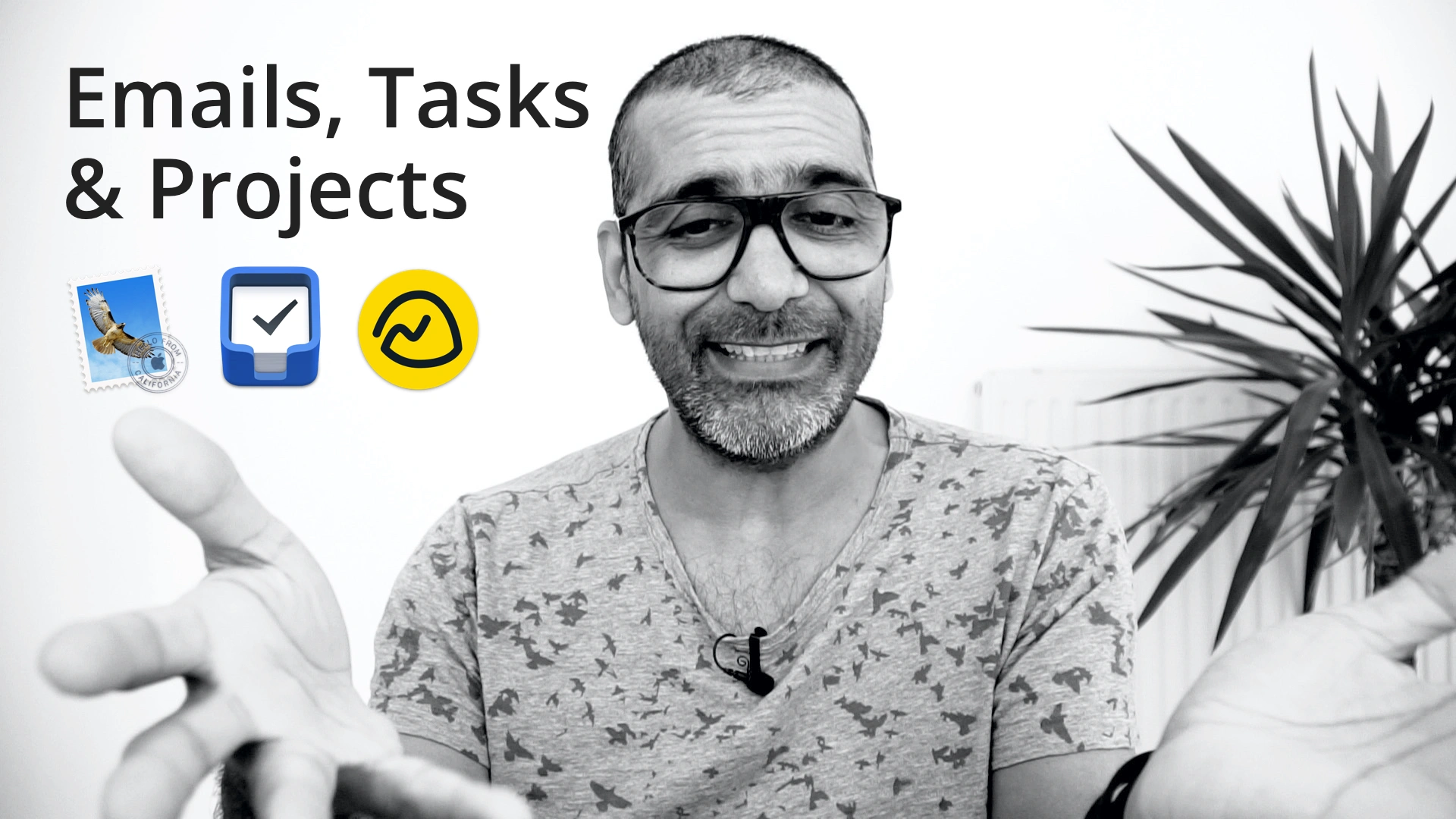
In today’s video, I’ll go over how I use Apple Mail, Things 3 and Basecamp in my workflow. This is how they help me get to inbox zero with my email, have my ‘assistant’ (Things 3) to notify me of what needs to be done, and how I use Basecamp with my clients and email info organisation.
I had a question via my site about how to use emails with a task manager, however, I never got a name or any contact details, so I thought I’d make a video to explain it.
In yesterday’s episode, I went over how to organise your messy email with a Task or Project Manager, but I’ve been getting messages as to how one should do it. In today’s episode, I’ll go over how you should be doing this.
Believe it or not, it’s straightforward to fix your email woes. All you need to do is to get rid of all your folders and make sure your inbox is empty. Yeah I know, I make it sound easy, but in this episode, I’ll explain what I mean and how it’s possible.
Yesterday I was doing some outreach on LinkedIn and needed to take notes on who I had contacted. Now I know there are LinkedIn browser plugins for automatic connection etc. via LinkedIn, but I’ve always felt that was impersonal.
I talk about my Membership site quite often, not only because it’s me trying to market it and sell it to you, but it’s me trying to make you understand that it can save you hours of headache.
Making daily videos is only a chore and complicated because you make it so. If you simplify your workflow, why would it be complicated? If you enjoyed the process, why would it be a chore?